


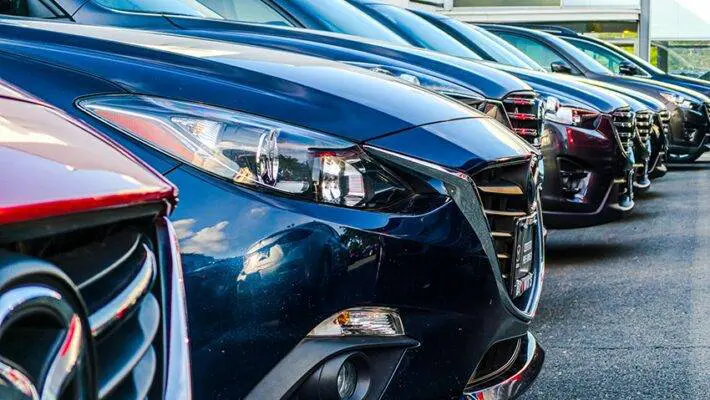
Today, we’ll discuss what license plates are in photos, why it’s advisable to conceal them, and explore several services that can help you quickly edit your images.
What is a license plate in the photo?
Before moving on to the instructions on how to blur license plates, let’s consider what exactly we’re talking about. A license plate is a unique identifier for a vehicle, consisting of a combination of numbers and letters. In each country, the issuance of license plates is managed by an authorized department. Plates are located on both the front and rear of the vehicle.
A license plate can provide quite a bit of diverse information – the name, address, and contact details of the vehicle owner. Additionally, information about the vehicle, driving rights, etc., becomes available. Accessing this data is quite difficult, but there are special paid services that can help wrongdoers find out information about you that you may not want them to know.
Why It’s Worth Blurring License Plates in Photos
We’ve compiled a list of reasons why it’s worth blurring license plates in photos you upload to the internet or share on social media. Here are a few key reasons why you should blur license plates:
- Prevention of information leaks. The widespread use of the internet has led to serious issues with information privacy. Through a license plate, malicious individuals can learn where you live, gain access to your family members, and more;
- Protection against theft. For some people, their personal vehicle is something they feel compelled to share on social media. If the car is rare or luxurious, such photos can attract thieves. And believe it or not, finding your car won’t be that difficult if the license plate is fully visible;
- Staying out of conflict with insurance providers. Employees of an insurance company may be steadfast in their efforts to uncover any means of denying you insurance benefits after you sign a contract with them. As a result, they look online right away for any pictures or videos that may show off your car after an accident.
How to blur license plates in a photo
Let’s get right to the point: how to make the license plate in your picture blurry. There are a few well-liked techniques. For instance, you can alter the photo using an online editor or utilize the features of your iPhone’s built-in editor.
Watermarkly
An established service called Watermarkly allows you to alter photos online. In contrast to its name, it has several other interesting functions, such as the capacity to watermark photos and instantaneously blur license plates.
You can edit your images using the browser-based service from any internet-connected device. Simply do these actions to blur the license plate in the picture:
- Go to the official service website and select the “Blur” function from the menu.
- Upload the image that needs to be processed to the editor. Another alternative is cloud storage.
- After adding the blurred zone to the photo, drag it to the desired location. Modify the blur’s strength and region size as needed.
- Get the finished photo.
Blurring License Plates on iPhone
Blurring photographs is an option available in the most recent versions of the Android and Apple operating systems. You can use this function to hide private information from view in your pictures. Let’s use an iPhone as an example to walk through a quick tutorial on blurring:
- Open the “Photos” app and look for the “Edit” button at the top.
- Select the appropriate tool by tapping the editing button and hiding sensitive info.
- Keep the updated draft saved.
License plates can be hidden in a number of ways:
- Utilizing a marker or pen. In essence, all you’re doing is applying a color overlay to the undesirable aspects in your image, making that the transparency is set to 0%;
- Shapes. You can add square and circular shapes to the image with this tool.
Using Photoshop for Blurring
Another option to blur license plates in photos is to use the popular graphics editor Photoshop. There are a few downsides to this method: firstly, you’ll need to purchase the software, which is paid, and secondly, due to the variety of functions, it will take some time to learn the software. Here’s a brief guide to expedite the process:
- Open the application, then select the “File” menu to add the photo for processing.
- When you click on the “Rectangular Marquee Tool,” choose the area you want to blur with the mouse.
- Select the “Filter” tool, then “Blur,” modifying the parameters as necessary.
Afterward, you can save the processed result of your photo.
Conclusion
As you can see, blurring license plates in photos isn’t overly complicated. You can choose the most suitable processing option for yourself. However, online services remain the most optimal option—you don’t need to download anything to your device, and the processing will only take a couple of minutes.